
Best ADHD Apps & Productivity Tools 2026: 15 Tested for Focus & Organization
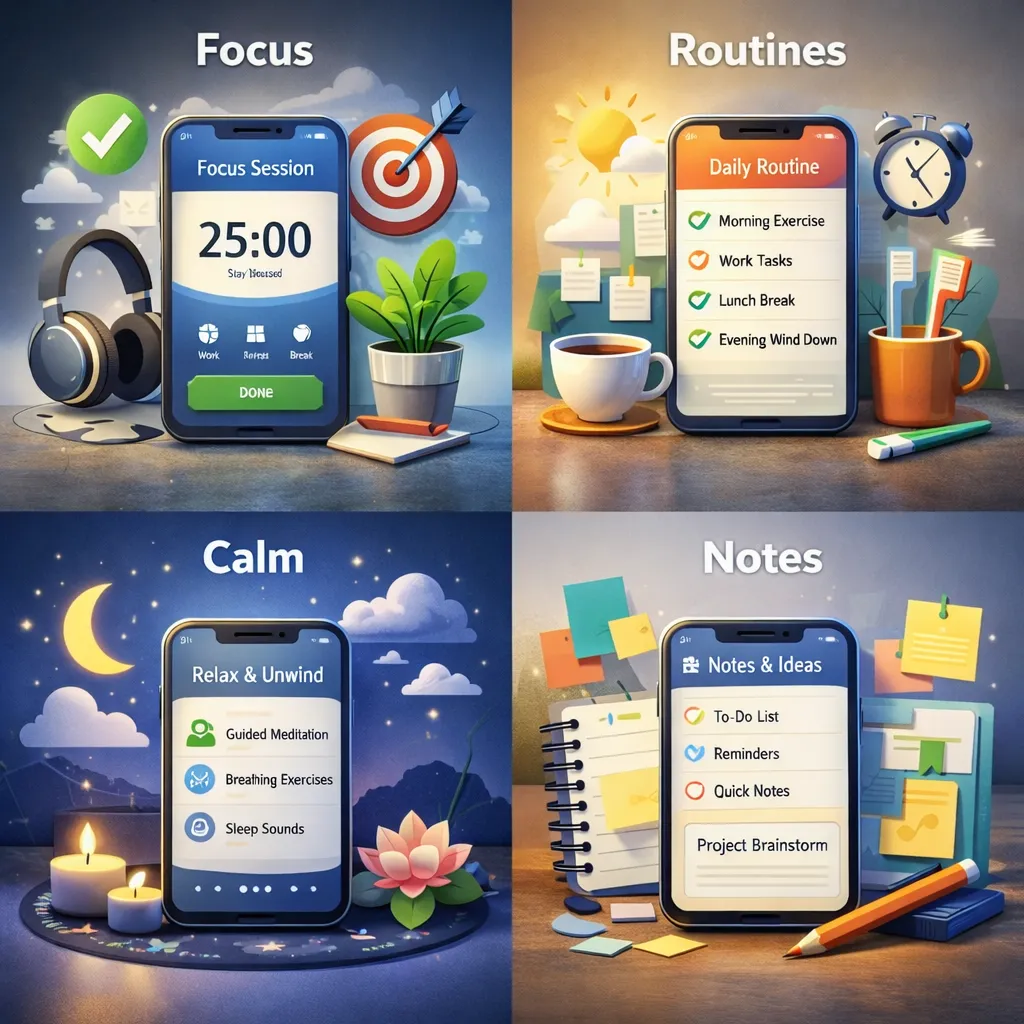
TL;DR: The best ADHD apps for adults reduce friction. Pick one app per problem (focus, tasks, habits, regulation) so your phone becomes support, not another chaotic hobby. We tested 15 apps and ranked them below.
Why ADHD Apps Can Be Life-Changing for Adults
If you have ADHD, you already know the vibe: you can care a lot, try hard, and still feel like your brain is doing parkour off the walls.
Adult ADHD is not about laziness. It is often about executive functioning, the brain skills that help you start, plan, remember, regulate emotions, and finish.
The right app does not “fix” you. It simply reduces friction so you can do the thing without needing superhero levels of willpower.
Think of a good app like a “support rail.” You are still walking. You just are not face-planting as often.
What to Look for in the Best ADHD Apps for Adults
Before you download 14 apps and build the world's most beautiful system you never open again, here are the features that actually matter.
Low setup effort
If it takes an hour to configure, there is a high chance it will not survive the week. Simple beats perfect.
Visual clarity
Clean screens. Fewer buttons. Less mental noise. Your brain is already doing enough.
Flexibility on low-energy days
ADHD consistency is... spicy. You want tools that adapt when your energy dips, not tools that punish you for being human.
Built-in motivation or accountability
Gamification, body doubling, quick wins, and gentle nudges can help your brain engage without a fight.
If an app creates guilt, shame, or a “welp I failed, might as well quit” spiral, it is not helping. Delete it like it owes you money.
ADHD App Comparison Table
Quick overview of every app in this guide. Find your biggest struggle, pick one app, and start there.
| App | Best For | Price | ADHD-Specific |
|---|---|---|---|
| Inflow | ADHD coaching & awareness | Free trial, ~$15/mo | Yes |
| Todoist | Tasks & brain dumps | Free / $5/mo | No (but flexible) |
| Focusmate | Body doubling & starting | Free / $9/mo | No (but perfect fit) |
| Goblin Tools | Breaking down tasks | Free | Yes |
| Sunsama | Daily planning & time blocking | 14-day trial, $16/mo | No (but low friction) |
| Brain.fm | Focus music & deep work | Free trial, $7/mo | No (but neuroscience-backed) |
| Forest | Phone distraction blocker | $4 one-time | No (but gamified) |
| Habitica | Gamified habits | Free / $5/mo | No (but dopamine-friendly) |
| Routinery | Morning/evening routines | Free / $7/mo | Yes |
| Finch | Self-care & emotional check-ins | Free / $5/mo | No (but gentle) |
| Obsidian | Notes & second brain | Free | No (but nonlinear) |
| Notion | All-in-one workspace | Free / $10/mo | No (setup-heavy) |
| Calm | Sleep & stress regulation | Free trial, $15/mo | No |
| Headspace | Mindfulness & focus | Free trial, $13/mo | No |
| Syllaby | AI content & video creation | Free trial, $49/mo | No (but low effort) |
The 15 Best ADHD Apps for Adults (2026)
This list covers focus, organization, habits, emotional regulation, and executive function support. You do not need all of them. Pick what matches your current struggle.
1. Inflow
Inflow is built specifically for ADHD. It mixes coaching-style guidance, education, and support tools that help you understand your patterns without turning it into a self-roast. It covers focus, motivation, time management, and emotional regulation in structured programs designed by ADHD clinicians.
- Best for: ADHD awareness, emotional regulation, executive function support
- Why it works: It explains the “why,” not just the “do this”
- Price: Free trial, then ~$15/month
2. Todoist
Todoist is a task manager that can work great for ADHD if you keep it simple. Use it as a brain dump and a gentle reminder tool, not a perfection scoreboard. The natural language input (“call dentist tomorrow at 2pm”) is perfect for ADHD brains that think in sentences, not forms.
- Best for: tasks, priorities, recurring reminders
- Why it works: flexible structure without the heavy vibe
- Price: Free for basics, $5/month for Pro
3. Focusmate
Focusmate is body doubling. You schedule a session, show up, and work quietly while another person works too. It is strangely powerful. For ADHD brains that cannot start tasks alone, having another human present (even virtually) creates just enough accountability to break through initiation paralysis.
- Best for: task initiation, accountability, procrastination
- Why it works: your brain behaves better when someone is “there”
- Price: 3 free sessions/week, $9/month unlimited
4. Goblin Tools
Goblin Tools uses AI to break down overwhelming tasks into tiny, manageable steps. Tell it “clean the house” and it turns that into 12 specific actions you can actually start. It also has a tone checker, a judge tool for decision-making, and a “formalizer” for emails. Built by a neurodivergent developer.
- Best for: task breakdown, executive function, overwhelm
- Why it works: turns vague tasks into concrete steps instantly
- Price: Free
5. Sunsama
Sunsama is a daily planner that pulls tasks from your other tools (Gmail, Notion, Todoist, Asana) and helps you plan a realistic day. It gently asks “how long will this take?” and warns you when you are overcommitting. For ADHD brains with time blindness, this is a game changer.
- Best for: daily planning, time blindness, overcommitting
- Why it works: forces realistic time estimates without being harsh
- Price: 14-day free trial, $16/month
6. Brain.fm
Brain.fm creates AI-generated music specifically designed to help you focus, relax, or sleep. It is not a playlist. The audio uses patented neural phase-locking technology that helps your brain enter a focused state faster. Many ADHD adults swear by it for deep work sessions.
- Best for: focus music, deep work, background noise
- Why it works: neuroscience-backed audio that actually aids concentration
- Price: Free trial, $7/month
7. Forest
Forest helps you stay off your phone by growing a little tree while you focus. If you leave the app to scroll, the tree suffers. It is dramatic in a helpful way. Over time you build an entire forest that represents your focus sessions.
- Best for: distraction reduction, short focus sessions
- Why it works: focus becomes visual and rewarding
- Price: ~$4 one-time purchase
8. Habitica
Habitica turns tasks and habits into an RPG. You get rewards for doing life, and your character levels up. It is dopamine-friendly by design. You can join parties, fight bosses with friends, and lose health when you skip habits. For ADHD brains that need external stakes and novelty, it works surprisingly well.
- Best for: habits, motivation, consistency struggles
- Why it works: progress feels fun instead of punishing
- Price: Free, $5/month for extra features
9. Routinery
Routinery is a visual routine builder that breaks your morning, evening, or work routines into timed steps with gentle nudges. Instead of a to-do list, it gives you a guided flow. Perfect for ADHD adults who know what they should do but lose 45 minutes somewhere between brushing their teeth and leaving the house.
- Best for: morning routines, time blindness, transitions
- Why it works: eliminates the “what comes next?” decision fatigue
- Price: Free basic, $7/month for full features
10. Finch
Finch is a self-care app where you take care of a virtual pet bird by completing small goals and emotional check-ins. It sounds silly, but it works. The tasks are tiny (“drink water,” “take a deep breath”), the tone is gentle, and the emotional tracking helps you notice patterns without judgment.
- Best for: self-care, emotional check-ins, low-energy days
- Why it works: no guilt, just small wins that add up
- Price: Free, $5/month for Finch Plus
11. Obsidian
Obsidian is a note app that supports “second brain” systems and connecting ideas. Great for ADHD brains that think in webs, not straight lines. Your notes link to each other, building a personal knowledge graph that matches how your brain actually works.
- Best for: notes, ideas, planning, knowledge organization
- Why it works: it matches nonlinear thinking
- Price: Free for personal use
12. Notion
Notion is an all-in-one workspace that can handle notes, databases, tasks, wikis, and more. A word of warning: it is powerful but setup-heavy. For ADHD adults, Notion works best when you use a pre-built template instead of building from scratch. The customization rabbit hole is real.
- Best for: all-in-one workspace, project planning
- Why it works (with caution): extremely flexible, but only if you resist over-building
- Price: Free for personal use, $10/month for Plus
13. Calm
Calm supports sleep, stress reduction, and nervous system regulation. If your brain runs hot all day, this can help you downshift. The sleep stories are especially popular with ADHD adults whose brains will not stop talking at bedtime.
- Best for: burnout, overwhelm, sleep routines
- Why it works: regulation supports focus indirectly
- Price: Free trial, $15/month or $70/year
14. Headspace
Headspace offers guided mindfulness and short focus exercises. You do not have to become a meditation monk. You just need something that helps your brain chill out a little. Their “Focus” mode plays curated music while you work.
- Best for: attention training, emotional awareness, mental noise
- Why it works: short sessions fit real life
- Price: Free trial, $13/month or $70/year
15. Syllaby
Syllaby uses AI to help you create video scripts, social media content, and full content strategies without the overwhelm. For ADHD adults who want to build a side hustle or personal brand but freeze at “what do I even post,” Syllaby removes the blank-page paralysis. It generates ideas, writes scripts, and even creates AI avatar videos for you.
- Best for: content creation, side hustles, social media without burnout
- Why it works: eliminates the hardest part — starting and deciding what to make
- Price: Free trial, starting at $49/month
Quick pick: If your biggest struggle is starting, try Focusmate. If it is remembering, try Todoist. If it is overwhelm, try Goblin Tools or Inflow. If it is staying off your phone, try Forest.
Best ADHD Apps by Category
Best free ADHD apps for adults
If you are on a budget, these are genuinely useful without paying:
- Goblin Tools — free AI task breakdown
- Habitica — free gamified habit tracking
- Obsidian — free for personal use
- Finch — free self-care and check-ins
- Focusmate — 3 free sessions per week
Best apps for focus and deep work
- Focusmate — accountability and task initiation
- Brain.fm — neuroscience-backed focus music
- Forest — fewer phone distractions
- Headspace — short focus and mindfulness exercises
Best apps for organization and task management
- Todoist — brain dump + reminders
- Sunsama — daily planning with time awareness
- Obsidian — notes, ideas, planning systems
- Goblin Tools — AI-powered task breakdown
Best apps for emotional regulation and burnout
- Inflow — ADHD-specific support and skills
- Finch — gentle self-care without pressure
- Calm — stress and sleep support
- Headspace — awareness and regulation practices
Best apps for habit building with ADHD
- Habitica — gamified habits with RPG rewards
- Routinery — visual routine building with timers
- Todoist — simple recurring habits without drama
Best ADHD productivity tools for work
- Sunsama — daily planning that prevents overcommitting
- Focusmate — body doubling for remote work
- Brain.fm — focus music for deep work blocks
- Todoist — task capture and project management
Best ADHD tools for content creation and side hustles
- Syllaby — AI-powered video scripts and content strategy
- Goblin Tools — break down content ideas into steps
- Brain.fm — focus music while you create
Executive Functioning and ADHD Apps Explained Simply
Executive functioning is your brain's management system. It helps with planning, time awareness, task switching, starting, finishing, and emotional regulation.
ADHD apps do not replace executive function. They externalize it. For example, Goblin Tools handles task breakdown, Routinery handles sequencing, and Sunsama handles time estimation.
A good ADHD app is basically a sticky note that can talk back and remind you at the right time.
How to Use ADHD Apps Without Overwhelm
Here is the rule that saves people from app chaos:
One app per problem. Not one app for your entire existence.
If you want the easiest setup:
- One capture tool (tasks or notes): Todoist or Obsidian
- One focus tool: Focusmate or Brain.fm
- One regulation tool: Inflow, Calm, or Finch
Start small. Let it work for a week. Then adjust.
ADHD Apps vs ADHD Planners: Which Is Better?
This is one of the most common questions. The honest answer: it depends on your brain.
- Apps win if: you always have your phone, forget physical objects, need reminders and notifications, or like gamification
- Planners win if: screens overstimulate you, writing helps you remember, you need the tactile experience, or you want zero distractions
- Both work if: you use an app for reminders and a planner for reflection
Many ADHD adults do best with a hybrid: Todoist for capturing tasks throughout the day, and a paper planner for morning planning or evening reflection.
Common Mistakes Adults With ADHD Make When Using Apps
- Downloading too many apps at once
- Over-customizing and then never returning
- Using apps like a perfection scoreboard
- Setting harsh reminders that create avoidance
- Quitting after one off week
- Choosing complex apps when simple ones would work better
- Spending more time setting up the system than using it
If the system only works when you are at 100% energy, it is not a system. It is a fantasy.
Do You Really Need More Apps or Just Better Systems?
Sometimes the answer is not another app. Sometimes it is fewer decisions and clearer defaults.
Apps work best when they support your real life, not an ideal version of you who wakes up at 5 a.m., drinks green juice, and never loses a charger.
The best app is the one you actually use. The second-best app is the one you deleted before it stressed you out.
Frequently Asked Questions About ADHD Apps for Adults
Do ADHD apps really work for adults?
Yes, when they reduce friction instead of adding complexity. The best ADHD apps act like external support for focus, memory, routines, and emotional regulation.
Are free ADHD apps good enough?
Often, yes. Goblin Tools, Habitica, and Obsidian are all genuinely useful at their free tiers. Paid apps can be worth it if they save significant time, stress, or decision-making.
What is the best ADHD app for adults who are new to this?
Start with Inflow if you want to understand your ADHD better, or Todoist if you just need a simple way to get tasks out of your head.
Should I use multiple ADHD apps?
Only if each one has a clear, separate purpose. A simple rule is one app per problem: one tool for focus, one for tasks/notes, and one for regulation.
What is the best ADHD app for focus?
Focusmate for accountability, Brain.fm for background audio, or Forest to stay off your phone.
What if I stop using the app?
Totally normal. ADHD support is cyclical. If an app becomes stressful or guilt-inducing, simplify your setup or switch tools. That is adaptation, not failure.
Looking for physical gear instead of software? See our roundup of the best ADHD products for adults: noise machines, planners, fidgets, and more.
If this article made you feel seen...
That's exactly why 925 ADHD exists.
70+ vetted ways to earn online, tagged by energy level, effort, and payout speed. Built for brains like yours.
Small systems. Low friction. Built for real life.
30-Day Money-Back Guarantee
Not a job placement service. No income guarantees.
Free Guide
See 5 examples of what's inside.
Get 5 ADHD-friendly side hustles from the full list — free, instant access. No spam.
Continue Reading
Freelance Jobs for ADHD: 6 Paths That Actually Fit How Your Brain Works
Most freelance advice ignores ADHD. 6 freelance paths that fit fluctuating energy, plus the ones to skip, with honest tradeoffs and how to start this week.
Can't Work a 9 to 5 With ADHD? You're Not Broken (Here's Why)
If you've searched "can't work a 9 to 5 with ADHD," you're not lazy. Many ADHD brains struggle with rigid schedules. You need a better fit, not more discipline.

What Is Ring of Fire ADHD? Symptoms, Traits, and What Helps
Ring of Fire ADHD is a descriptive term for an ADHD pattern that feels like overstimulation, emotional intensity, and racing thoughts. Here is what helps.